
Voxys Connect follows a round-robin auto-assignment system for conversations. This means that if there are people available (called "agents") who can respond to messages in a specific inbox, the system will divide the conversations evenly among them. If all the agents are not available, the conversations will not be assigned to anyone and will be categorized as “Unassigned”. This feature is turned on by default.
How to enable/disable round-robin assignments?
To enable round-robin assignments in your inbox, follow the steps below.
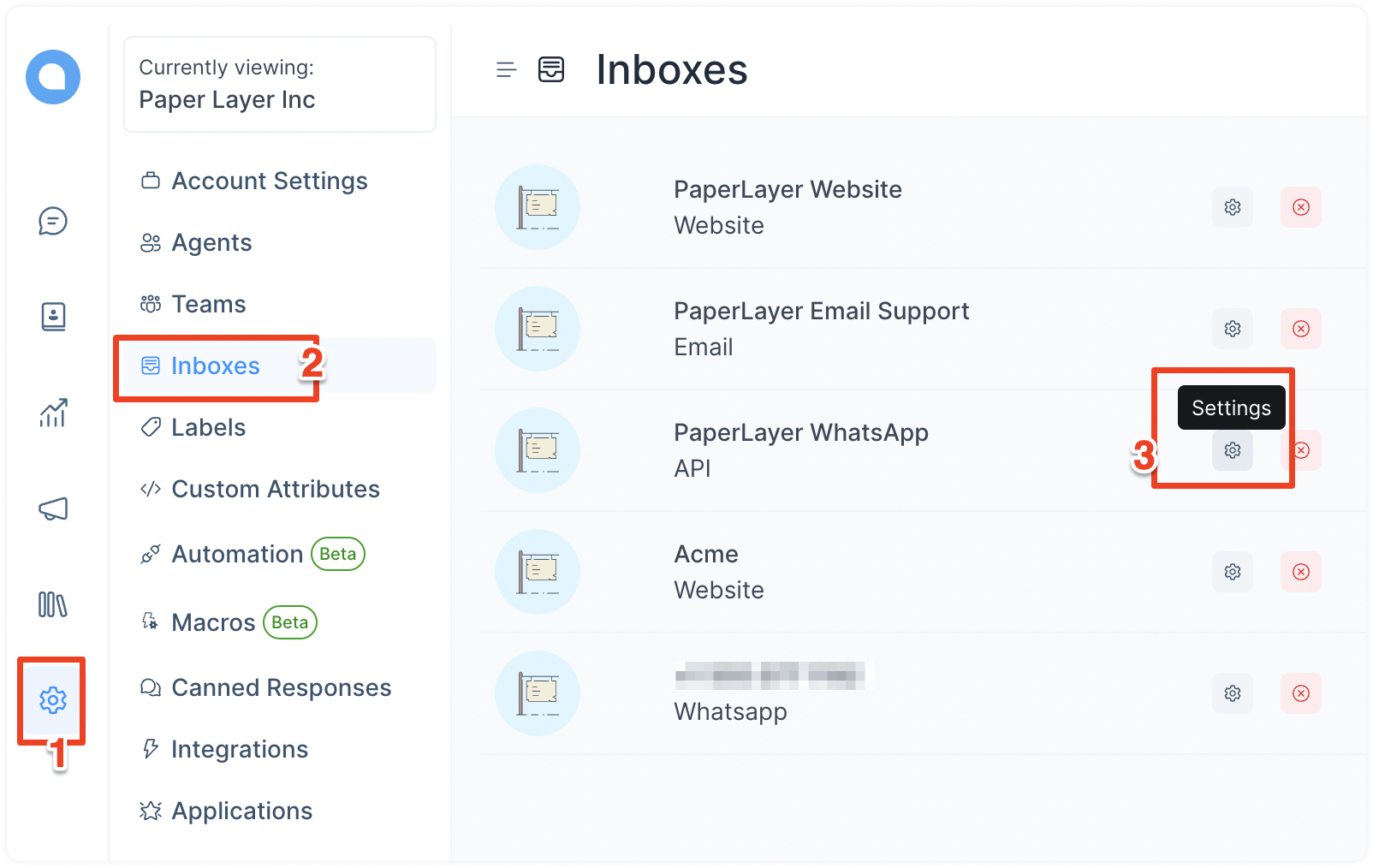
Step 1. Go to Settings → Inboxes. Click on the settings link of the inbox you want to enable round-robin assignment for.
Step 2. Go to the “Collaborators” tab. Find the setting for Conversation Assignment, as shown below.
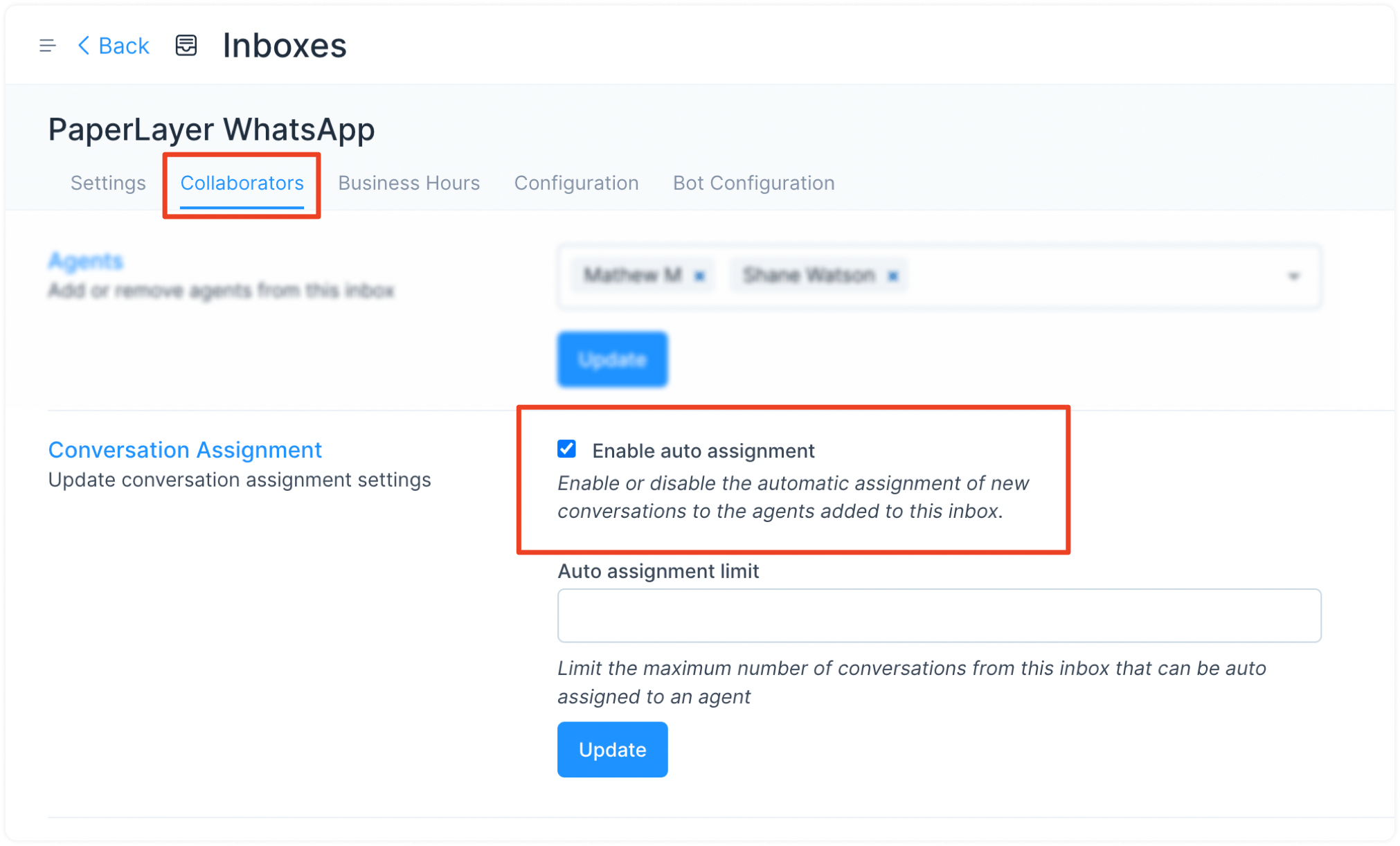
Step 3. Check the box “Enable auto assignment” and click on "Update".